





Hassle free, 2-Year Warranty
Fast, Free Shipping on Orders $35+
Lifetime Technical Support
30-Day Money Back Guarantee
Plugable Magnetic iPad Tablet Stand for iPad Pro 12.9”
$34.95 USD
SKU: AMS-STAND13Amazon Rating : (113 Reviews)
Features
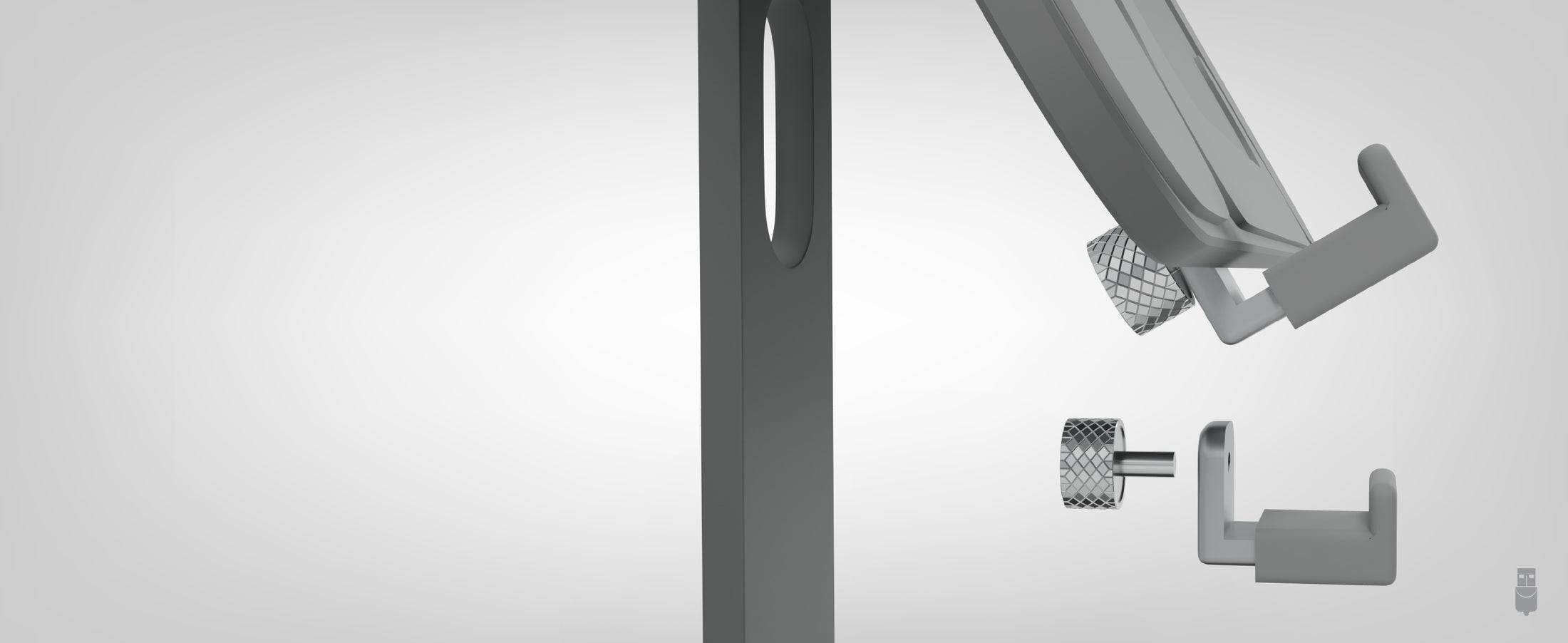
- iPad Pro Magnetic Stand— Strong magnetic mount designed for 12.9” iPad Pro models (2017–2022) with built-in magnets. The 2024 iPad Pro (7th Gen) is not compatible with magnetic mounting, but can be used with the included screw-in brackets.
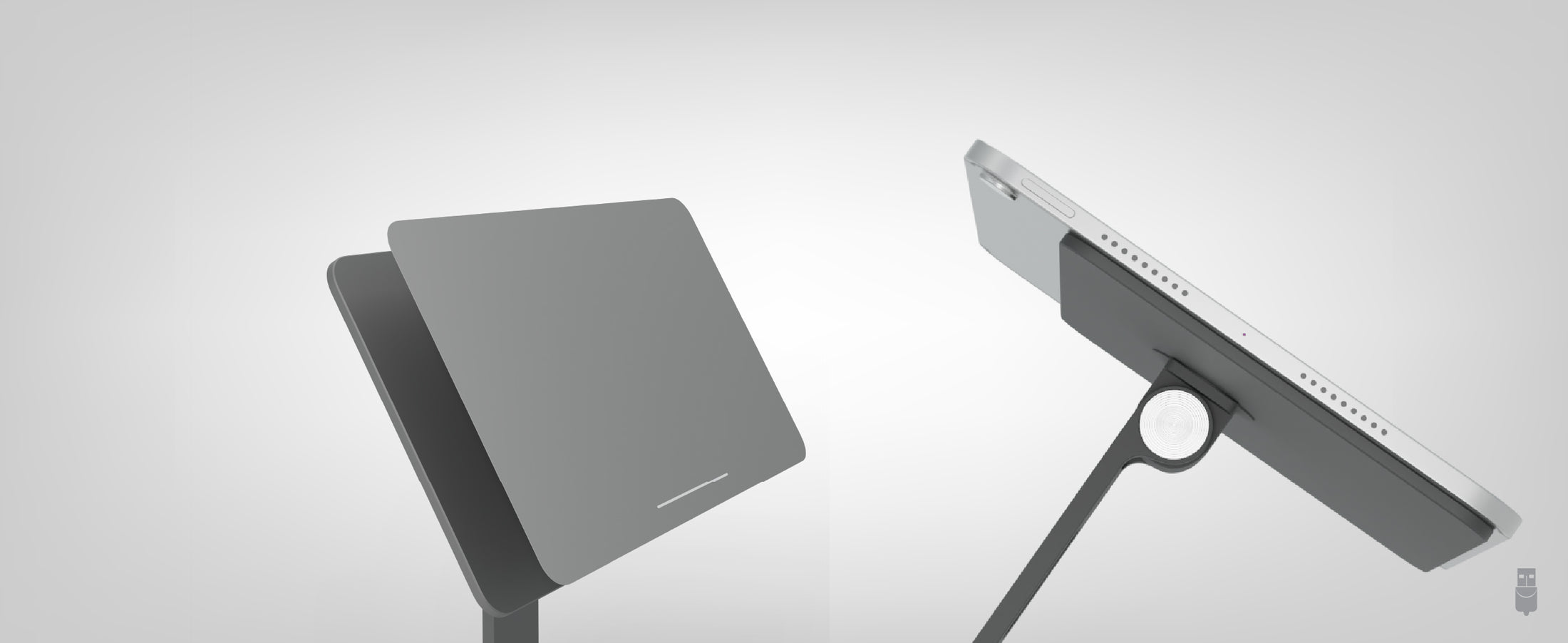
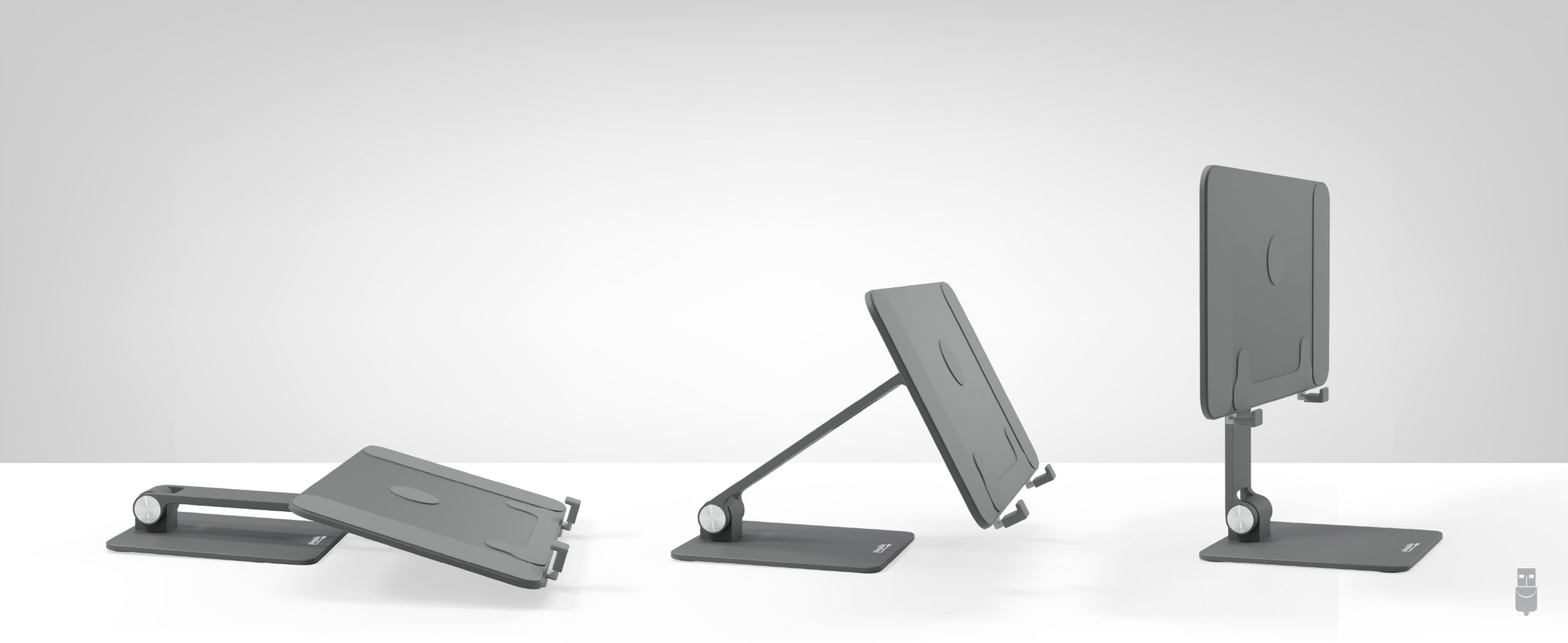
- Ultimate Flexibility— 360° rotatable iPad magnetic mount and 180° adjustable arm for ideal viewing angles in both landscape and portrait modes.
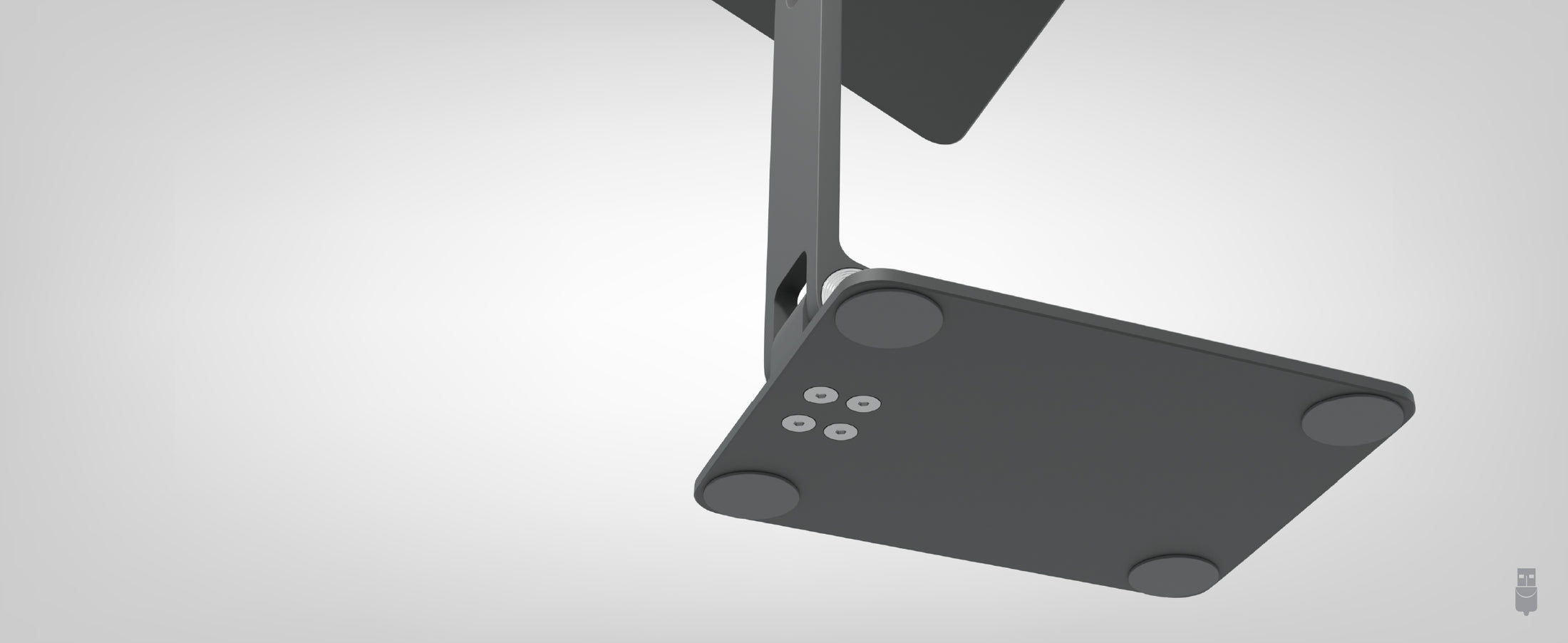
- Designed for Portability— Folds flat for easy transport. A professional-grade iPad Pro stand that fits into any bag or workspace
- Works With— Magnetic mounting only supports iPad Pro 12.9” models (2017-2022). The 2024 iPad Pro must use the included brackets due to changes in Apple’s magnet configuration. Not compatible with iPad cases or devices where magnets do not make direct contact with the stand.
- Lifetime Support— This 12.9” iPad Stand has been designed with reliability at its core and was built to meet the deployment demands of IT departments and the ease of use necessary for home offices. Includes lifetime support from our North American team of connectivity experts
For volume orders or business inquiries contact sales@plugable.com





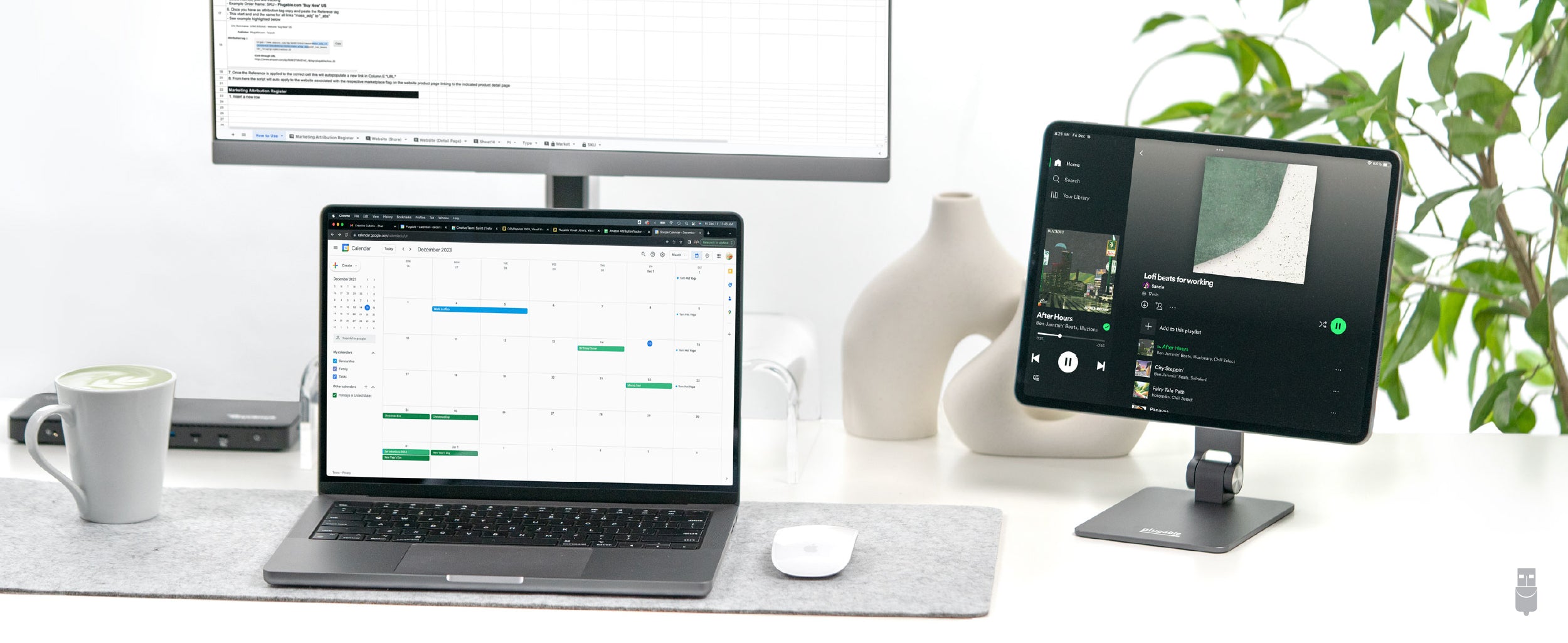
Elevate Your iPad Workflow with a Secure, Flexible, and Portable Stand
Connect with confidence using the Plugable Magnetic iPad Stand - a premium, purpose-built stand designed specifically for 12.9” iPad Pro models released between 2017 and 2022. These iPad models feature integrated rear magnets, allowing for secure and seamless magnetic mounting. Whether you're a creative professional, educator, or hybrid worker, this stand elevates your tablet experience with professional-grade construction and exceptional flexibility.
The most useful feature of the iPad Pro 12.9 magnetic stand is its extraordinary flexibility. The 360° rotatable magnetic panel and 180° adjustable arm allow you to find the perfect viewing angle for any task, whether you're sketching a masterpiece, delivering an interactive lesson, or managing your work on the move. Despite the sturdy build of this magnetic iPad mount, it's incredibly portable. The stand folds flat, slipping easily into your bag so you can take it to school, on the plane, or on the road.
The stand also supports the 2024 iPad Pro (7th Gen) using the included screw-in brackets, as this model does not feature magnetic mounting.
Transform how you interact with your tablet. From bustling coffee shops to quiet classrooms, this magnetic iPad holder provides stability, versatility, and ease of use.
Please note: Using a case is not recommended, as it can reduce magnet strength and increase the chance of slippage.
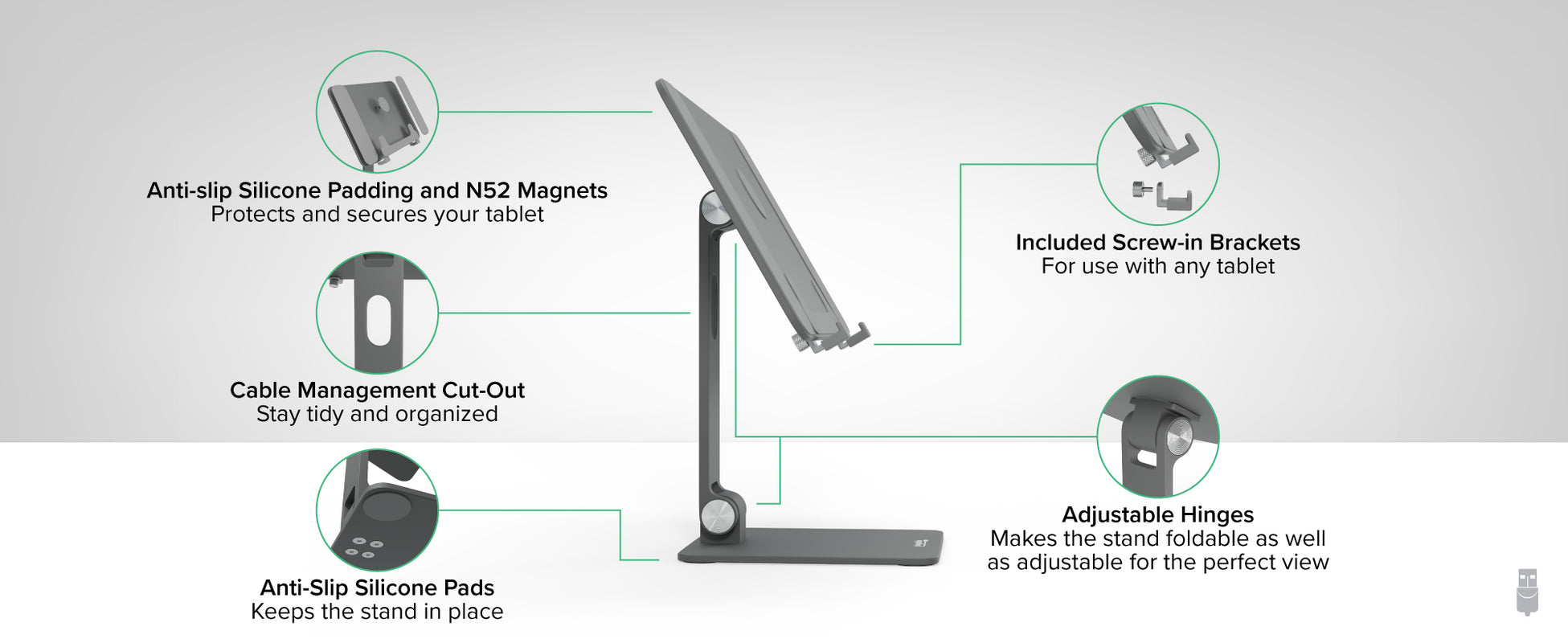
A: We do not recommend using a case with your iPad as this can decrease contact with the magnets and increase the risk of the iPad sliding off the stand.
A: Yes, with the 360° rotatable panel you can orientate your iPad to find the perfect angle for your viewing requirements.
A: The AMS-STAND13 can support other tablets when using the optional screw-in brackets. However, due to the changes in magnet location, magnetic mounting is not recommended for 7th-generation iPads; screw-in brackets are recommended.
A: The stand uses Neodymium magnets. There are eight different standard grades of neodymium magnets ranging from N35 to N52. The AMS-STAND13 uses N52 magnets that are among the strongest in its class.
A: The panel is 6 ¼” (H) x 10 ¼” (W). The stand comes with 180-degree hinges. At its lowest point the bottom of the panel can reach the surface. At the highest point the bottom of the panel will sit at around 4” off the surface.
 |
 |
 |
 |
 |
|
|---|---|---|---|---|---|
Foldable (Y/N) |
|||||
Magnetic |
N |
N |
N |
||
Adjustable Angle |
180° adjustable armTablet panel is 360 degree adjustable |
180° adjustable armTablet panel is 360 degree adjustable |
180° adjustable top and bottom hinges |
4 convenient angles (25°, 30°, 45° and 60°) |
160° adjustable arm |
Compatible With |
iPad Pro 12.9” and other tablets |
iPad Air & iPad Pro 11 |
Tablets between 7” and 12.9” |
Laptops and tablets up to 16” and 11lbs |
USB-C tablets |


